
How to Schedule and Manage Nonprofit Volunteers for Free: A Step-by-Step Guide
A Simple System to Map Shifts, Recruit Helpers, and Keep Everything Running Smoothly
Last Updated August 13, 2026
Nonprofit volunteer scheduling is the process of organizing volunteers into specific shifts, roles, and time slots so your programs run without gaps or scrambling. Done right, it gives every volunteer a clear assignment and gives you a calm, repeatable way to manage your team. The good news? You can build and run that whole system for free.
Here's how to do it, step by step.

What Is Nonprofit Volunteer Scheduling?
Nonprofit volunteer scheduling is how you turn a list of willing helpers into a working plan. It means defining what needs to happen, when, and by how many people, then matching volunteers to those roles in a way that's easy to track and communicate.
A solid scheduling system helps you:
- Avoid no-shows with automatic reminders
- Fill coverage gaps before they become problems
- Track who showed up and for how long
- Build a reliable, repeatable volunteer base over time
It doesn't have to be complicated. With the right free tool, it can actually feel pretty satisfying.
How Do I Map Out Volunteer Shifts for My Nonprofit?
Before you invite anyone to sign up, get clear on what you need. Map your shifts first, then recruit to fill them.
Start by answering a few questions:
- What tasks need to be covered? (registration, setup, food service, breakdown, etc.)
- What dates and times are needed?
- How many volunteers does each Spot require?
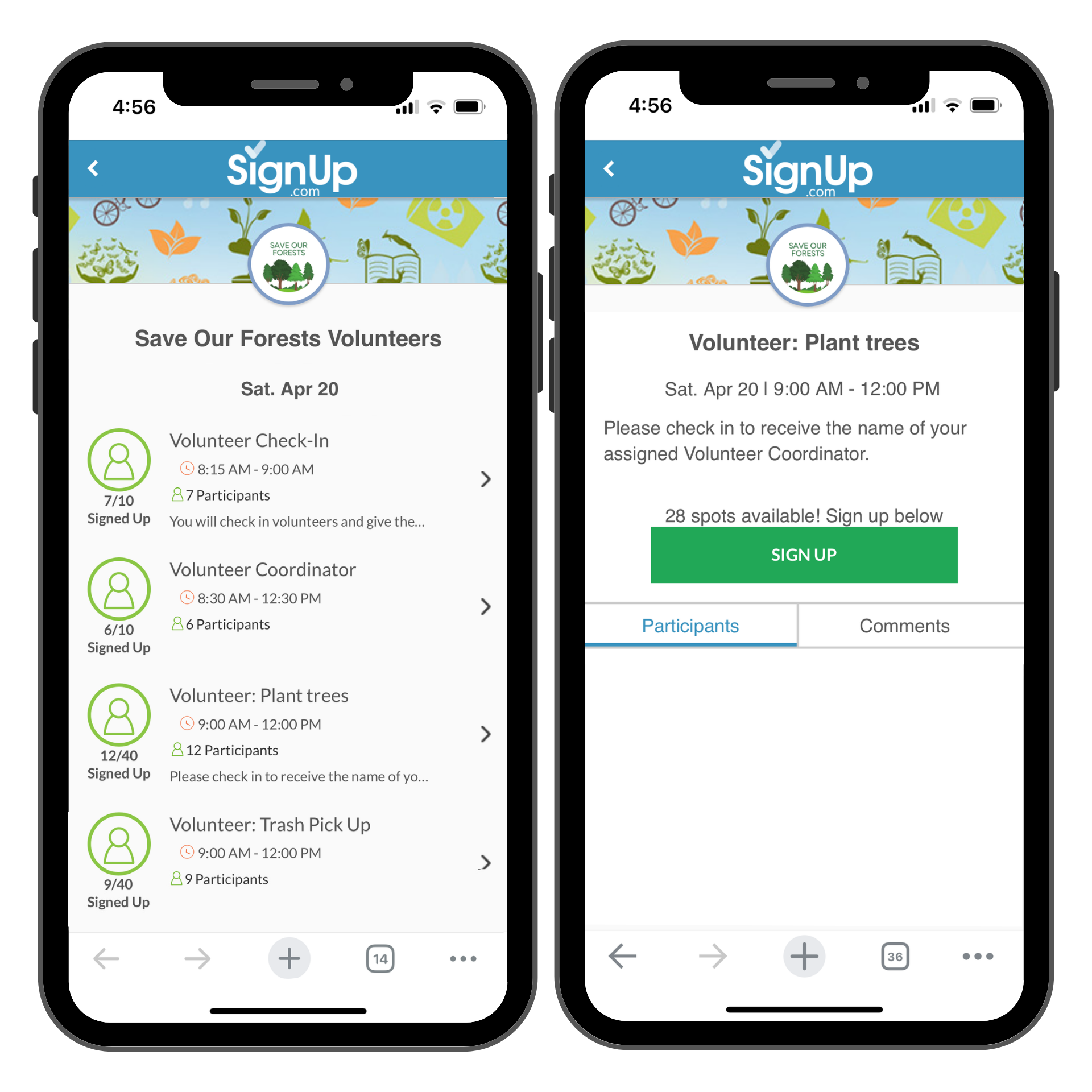
Once you have that picture, you're ready to build your SignUp. SignUp lets you create a free online sign-up sheet that lists every shift, role, and time slot in one organized place. No spreadsheets required. No back-and-forth emails trying to figure out who's coming when.
For recurring programs, build out your schedule for the full cycle (a month, a semester, a season), then share one link. Volunteers can browse and grab the Spots that work for them, and you'll see everything fill in as they do.
How Do I Recruit Volunteers for My Nonprofit Shifts?
Once your Spots are mapped, it's time to fill them. The key is making it ridiculously easy to say yes.
Share your free SignUp link via:
- Email newsletters to your donor or supporter list
- Social media posts with a direct link
- Your nonprofit's website or volunteer page
- Group texts or messaging apps
- Printed flyers with a QR code (old school, still works!)
When volunteers click the link, they see exactly what's available and can pick their own Spot. No phone tag, no spreadsheet, no chasing. Just a clean, simple page that does the heavy lifting for you.
Quick tip: Add a short, friendly description to each shift so volunteers know what to expect. "Help set up tables and chairs (it goes fast, we promise! ✅)" is way more inviting than just "Setup."
What's the Best Free Way to Assign Volunteers to Shifts?
The easiest free approach: let volunteers self-schedule. With SignUp, they browse open Spots and claim the ones that fit their availability. You see every assignment update in real time, no juggling required.
If you need to manually assign someone to a specific role (say, a trusted team lead or a volunteer with a special skill), you can do that too. SignUp's Organizer view lets you add names to any open Spot directly.
Either way, everything lives in one place. No version-control nightmares. No emailing an updated spreadsheet for the fourth time this week.
How Do I Send Reminders to Nonprofit Volunteers?
Reminders are one of the single biggest factors in reducing no-shows. And with SignUp, they go out automatically, so you don't have to remember to send them yourself.
Volunteer reminder emails (and text messages for Premium members) typically include:
- Date, time, and location of the shift
- The volunteer's specific role or task
- Any notes you've added (parking info, what to wear, what to bring)
- A warm thank-you in advance
You can customize the notes that appear in reminder messages, which makes it easy to share last-minute details without tracking down every volunteer individually.
How Do I Track Volunteer Hours for My Nonprofit?
Tracking hours matters, whether you're reporting to a grant funder, documenting in-kind service, showing your board how much your volunteers contribute, or using the data to for volunteer recognition and appreciation events.
With SignUp, you can see exactly who signed up for what and when. For detailed hours tracking, export your SignUp data and use a simple spreadsheet to tabulate hours. Premium members can access automated service hours reports.
A few easy habits that keep records clean:
- Use your SignUp Check-in report to have volunteers sign in as they arrive (Premium members can authorize Electronic Participant Check-in)
- Edit actual hours if someone stays longer or leaves early
- Export and save your SignUp data after each event or program cycle
- Store exports in a shared drive folder labeled by date or program
Small habits, kept consistently, add up to a complete record when you need it most.
What's the Best Free Volunteer Management Tool for Nonprofits?
For nonprofits that need a simple, repeatable scheduling system without a software budget, SignUp is one of the best free volunteer management tools available. It combines scheduling, communication, and coordination in one place, and there's nothing to install.
Here's why it works well for nonprofits specifically:
- Free to use for basic scheduling and shift management
- Automated reminders reduce the coordinator's follow-up workload
- Shareable links make recruiting effortless across email, social, and text
- Works for recurring programs as well as one-time events
- No account required for volunteers to sign up
- Mobile-friendly so volunteers can grab a shift from anywhere
It's the kind of tool that gets out of your way and just works. Which, when you're coordinating volunteers on top of everything else you're doing, is exactly what you need.
Build a System That Works Every Time
Managing nonprofit volunteers doesn't have to feel like a second job. With a little upfront planning and a free tool like SignUp, you can build a scheduling system that runs smoothly every time, whether it's your tenth event or your first.
Map your shifts, share your link, let volunteers self-schedule, and let reminders do the follow-up work. That's the whole system. Ready to get started? Set up your free nonprofit volunteer schedule today and see how much easier the whole thing can be. ✨
FAQs
Q: What is the best free volunteer scheduling software for nonprofits?
A: SignUp is a popular free option for nonprofits that need straightforward volunteer shift scheduling. It lets you create shift-based sign-up sheets, send automated reminders, and see who's signed up in real time, all at no cost and with no software to install.
Q: How do I manage nonprofit volunteer shifts without spreadsheets?
A: Use a free online sign-up tool like SignUp to build shift-based schedules that volunteers can access and fill in themselves. You'll see assignments update in real time, and automated reminders handle the follow-up for you.
Q: How do nonprofits track volunteer hours for free?
A: Many nonprofits track volunteer hours for grant reporting, documentation and volunteer recognition. Simply export your SignUp data after each event and tabulate hours in a simple spreadsheet. Premium members can access automated service hours reporting.
Q: Can I use SignUp for recurring nonprofit volunteer programs?
A: Yes! SignUp works well for recurring programs. Set up a new sign-up sheet for each cycle of your program, share the same link with your volunteer base, and use the same process each time for consistent, predictable scheduling.
Q: Do nonprofit volunteers need to create an account to sign up?
A: No account is required for volunteers to claim a shift using SignUp. They simply click your shared link, find an available Spot, and add their name, contact information, and answers to any custom questions important to your group. It's designed to make saying yes as easy as possible.
You May Also Like:
Volunteer Incentives: How to Recruit & Engage Your Dream Team
Free Online SignUps for Nonprofits & Cause Groups
Nonprofit Volunteer Hour Tracking: Why and How
About the Author

Tara McAdams
Digital Marketing Manager, Content Strategist & Creator
Tara leads content strategy at SignUp and creates a variety of resources on a wide range of topics – including lifestyle trends, parent tips, prep for holidays, volunteer management, and event planning. More about Tara →


